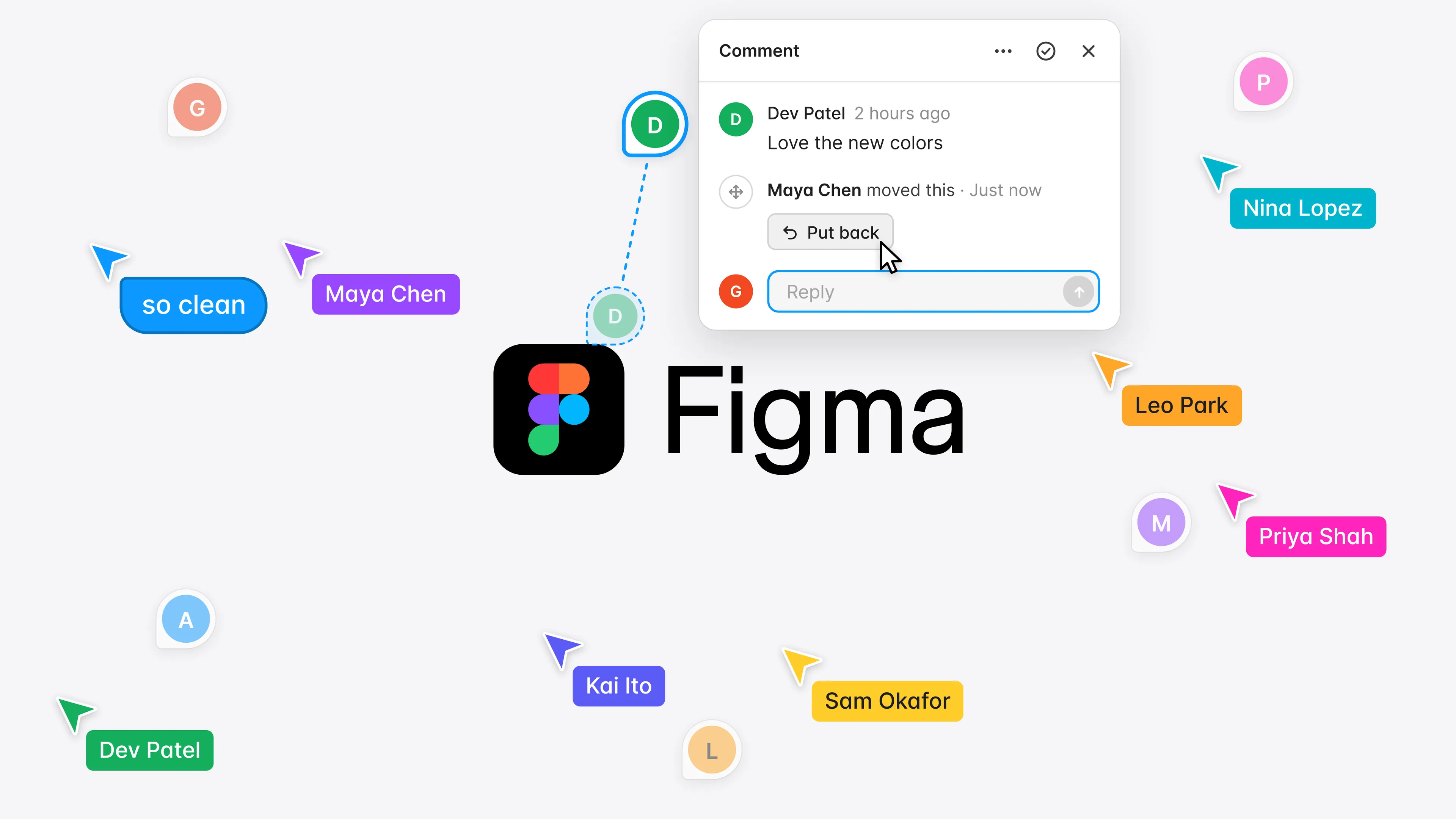
This started with my own frustration. While panning around the Figma canvas, I'd accidentally drag comments with it, and there was no way to undo the move. Where a comment sits is half of what it says, so besides an interrupted pan, I'd be left with vague comments from days ago and no clue where they belonged.
After some digging, I found I wasn't the only one, opens in a new tab. Designers on Figma's forum have reported the same frustration since 2022. So I designed a concept where panning only moves the canvas, and if a comment does get moved, it shows who moved it and gives a way to put it back.
- Role
- Product designer
- Team
- Designer (me)
- Timeline
- September 2026
- Scope
- Concept
Problem
Moving the canvas can also move the comments
Today, if you’re panning and your cursor passes over a comment, the comment gets picked up and dragged, even inside a locked frame. Zoomed out on a file full of work, a small slip can carry a pin far from where it belongs, and pressing Undo reverses your last design change instead.
The comment is left pointing at the wrong part of the design, or at nothing at all, and neither you nor anyone reviewing the file later can tell it moved.


Concept
Pan without moving the comments
Most of Figma works the way you’d expect, and panning should too. When someone moves around the canvas, every comment should stay where it is, with nothing getting dragged along by accident.

Exploration
Fixing the pan instead of adding a lock
I started with a lock, the same kind used across design tools. The problem was the extra step. It was easy to forget, and repetitive on a file with lots of comments.
The direction I landed on was much simpler. Fix the pan. Comments stay put while panning and can still be moved with a regular click and drag. A move can still go wrong though, like moving the wrong comment or dropping it in the wrong spot.

Recovery
A way back
If you catch a wrong move right away, Undo now takes back the move instead of your last design change, something other designers have asked for, opens in a new tab. But a wrong move isn’t always noticed, especially when someone else made it, so comments also needed a way to show they’d moved and get back to where they were.
I first explored notifying the comment’s author and adding a badge to every moved pin. Doing that for every move gets noisy fast, and neither says where the comment came from. The better option was a note in the comment itself, so anyone who reads it and gets confused learns right away that it moved, and who moved it.
Hovering Put back shows where the pin will go. Clicking it returns the comment to the same spot, even if the frame has moved. Anyone who can move a comment can put it back.


Measuring success
Designers should find the way back on their own
I’d test a working prototype in a busy review file with designers who’ve had the same problem. Does moving a comment still feel natural when they mean to? And when a comment doesn’t make sense where it sits, do they spot the note and put it back without being told how?
Reflection
Forum posts showed the demand, not the behavior
Reading other designers’ frustrations on the forum showed me the problem wasn’t just mine, but it couldn’t show me how people actually work with comments. Watching or talking directly with designers would have been a stronger first step.